
First weeks that make people want to stay.
Successful onboarding does not fit into a single welcome day. Support every new starter through their first weeks, at the right pace, whether they work at head office or on the frontline.
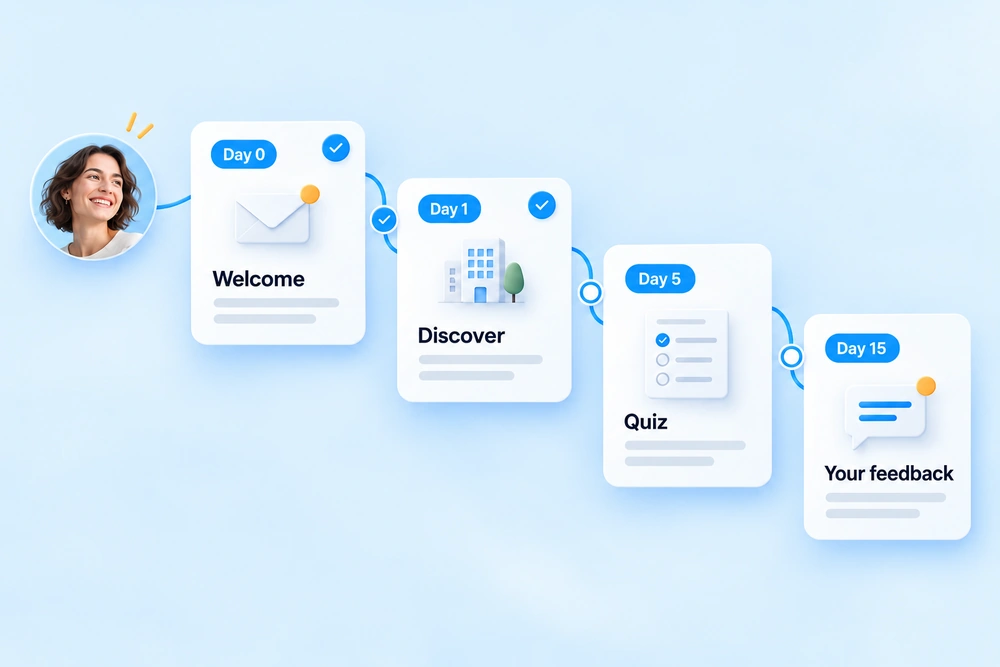
Each step arrives at the right time, with no manual reminders.
Onboarding is decided in the first few weeks.
Too much information on day one
The welcome booklet, safety rules, tools, benefits: everything arrives at once, and almost nothing sticks.
Then nothing
After day one, the new starter is left to fend for themselves. Questions pile up with the manager and HR.
Frontline onboarding handled case by case
Without email, frontline new starters depend entirely on their manager's availability.
The first thirty days, step by step.
Welcome
A message from management, the welcome booklet and practical information about the site, on their phone or by email.
Discovering the company
The group's history, its businesses, its organisation, in a few short pieces of content.
Safety quiz
Five questions to check that the essential rules are understood.
How is it going?
A short survey to spot difficulties early, passed on to HR.
What not to forget
Health insurance, benefits, training: the steps to complete before the end of the first month.
The modules involved.
Onboarding is an add-on to the Broadcast and Platform plans. Choose Platform for your frontline teams.
Questions about onboarding.
Where does new starters' start date come from?
From your directory or HRIS, synchronised with the platform. As soon as an employee appears there, their journey starts, with no manual input.
Can the journey be adapted by job or site?
Yes. You can create a journey per population (head office, frontline, job, site), based on your directory attributes.
Is the manager informed of progress?
Yes. The manager is informed of their new starter's progress through the journey. HR and communication teams also have tracking of every onboarding in the platform.
Can frontline new starters follow the journey?
Yes. The journey also runs on the mobile app, accessible without a work email address, with a code received by SMS or a simple QR code.
How many people do you plan to hire this year?
Let's talk about your onboarding journeys: we build your first journey with you.