
Your frontline teams have no email. They have a phone.
Workshop, store, building site, warehouse, delivery round: the We Advocacy app puts company news, documents and alerts in every employee's pocket. No work email address, no workstation, no password to remember.
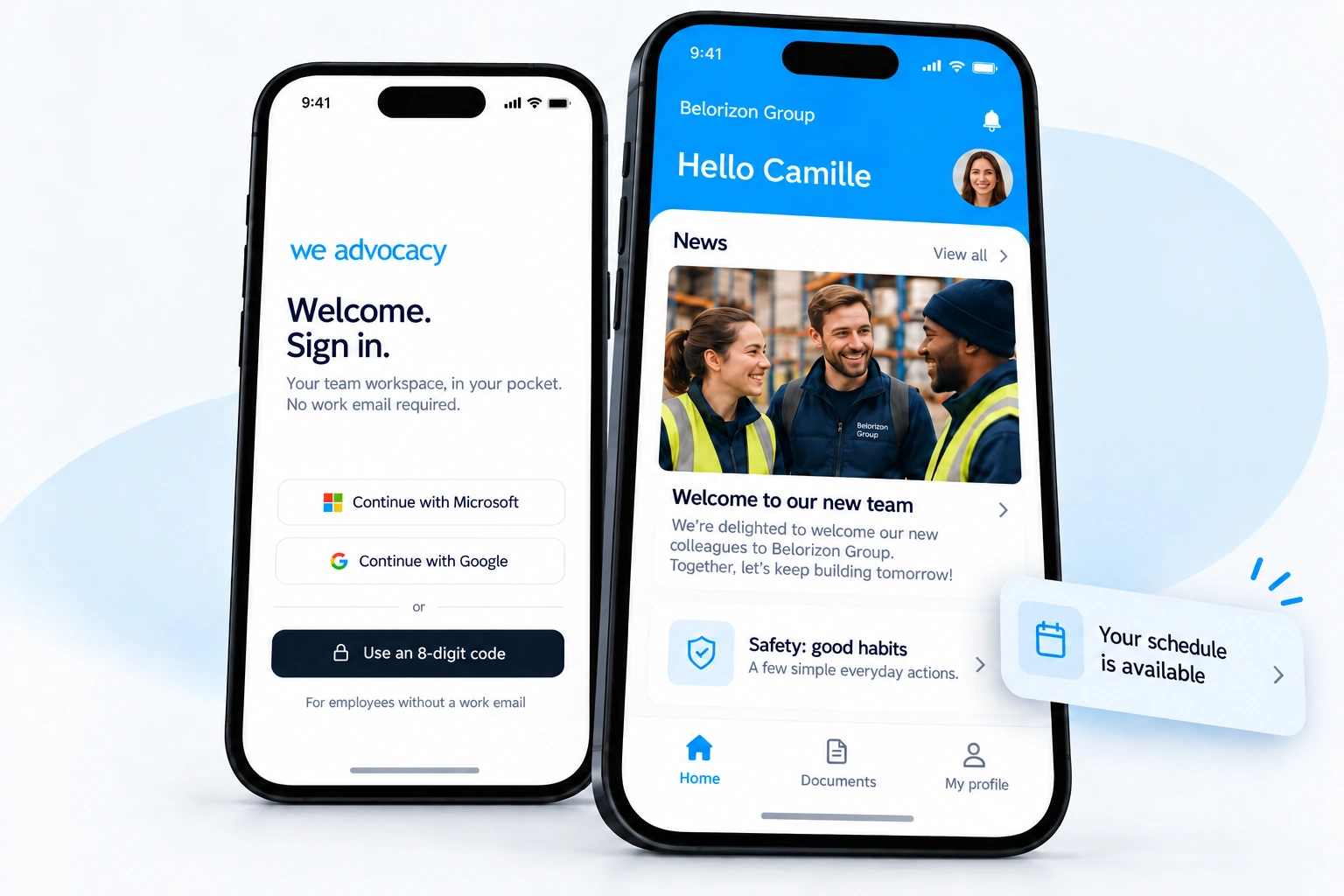
Received by SMS, valid for that employee only.
Internal information often stops where the frontline begins.
Yet these are the teams who keep the business running every day, and who most need safety instructions, HR information and group news.
No email address
The newsletter and management messages do not reach them, or only through a paper notice that arrives too late.
No workstation
The intranet exists, but you need a computer and an account to access it. It remains the portal for head office teams.
No time to look for it
Between two jobs or two customers, information has to arrive on its own, short and useful, at the right moment.
A mobile number is all it takes.
Your employees are imported automatically
From your directory or HRIS, or a simple file. Site, job, team: these attributes are then used to target each message.
Everyone receives an SMS invitation
A link to download the app and a personal 8-digit code. No email, no password to create.
The company is in their pocket
News from their site, useful documents, notifications: they receive what concerns them, and only that.
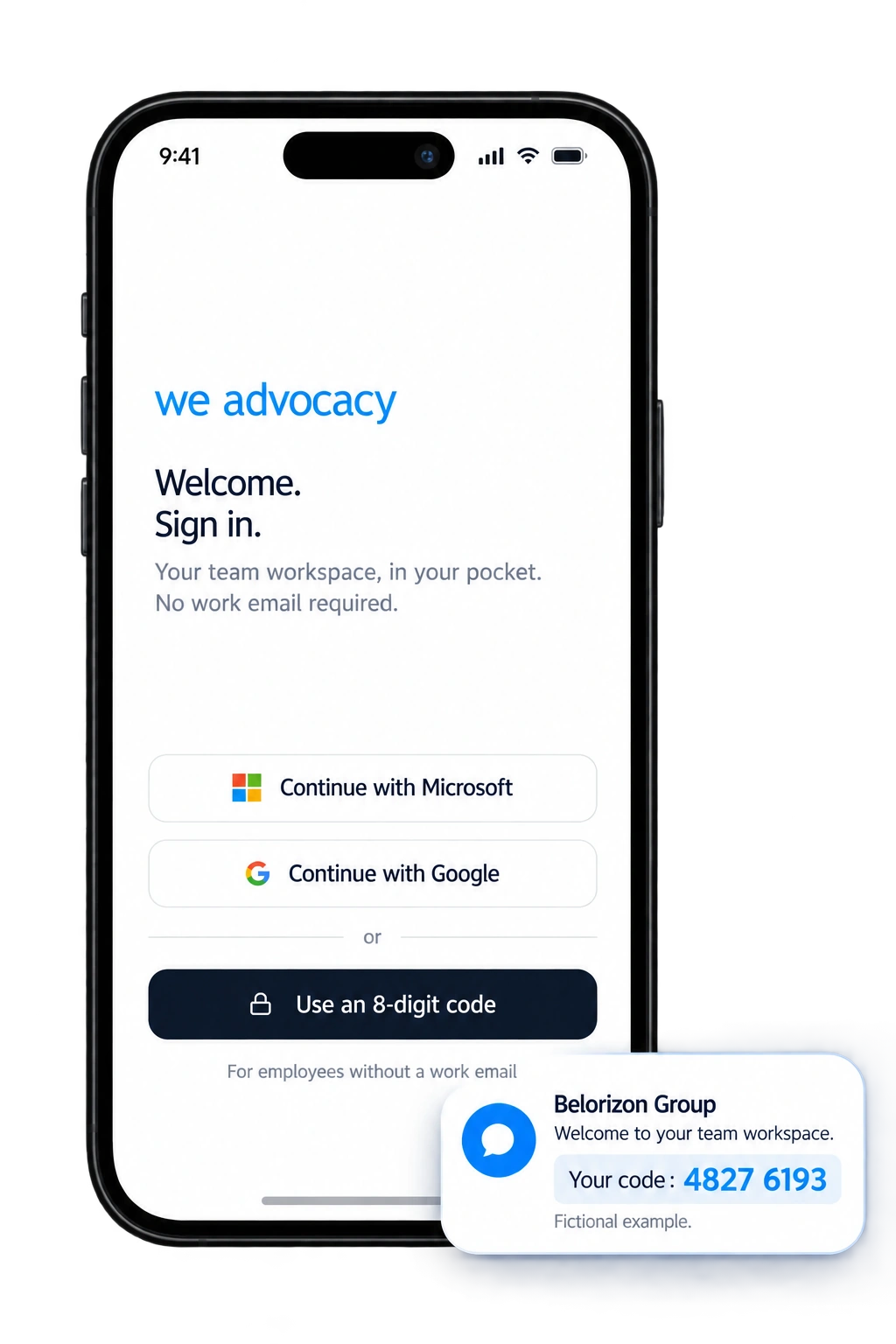
Everything the frontline needs. Nothing more.
An app designed to be opened in thirty seconds, between two tasks. Content is published once from the platform and also reaches head office teams on the intranet and by email.
Targeted news
Group news and news from their site, job and team. Everyone sees what concerns them.
Push notifications
A safety instruction, a schedule change, a site closure: the information appears on screen, without having to open the app.
Useful documents
Welcome booklet, safety sheets, company agreement, health insurance: reference documents always up to date, two taps away.
Quizzes and surveys
Give a voice to those you hear from least, check that an instruction is understood, measure the mood on a site.
Onboarding journey
New starters receive a welcome, content and quizzes over their first weeks, right on their phone.
Several languages
Content can be translated for teams who do not work in French, without entering it twice.
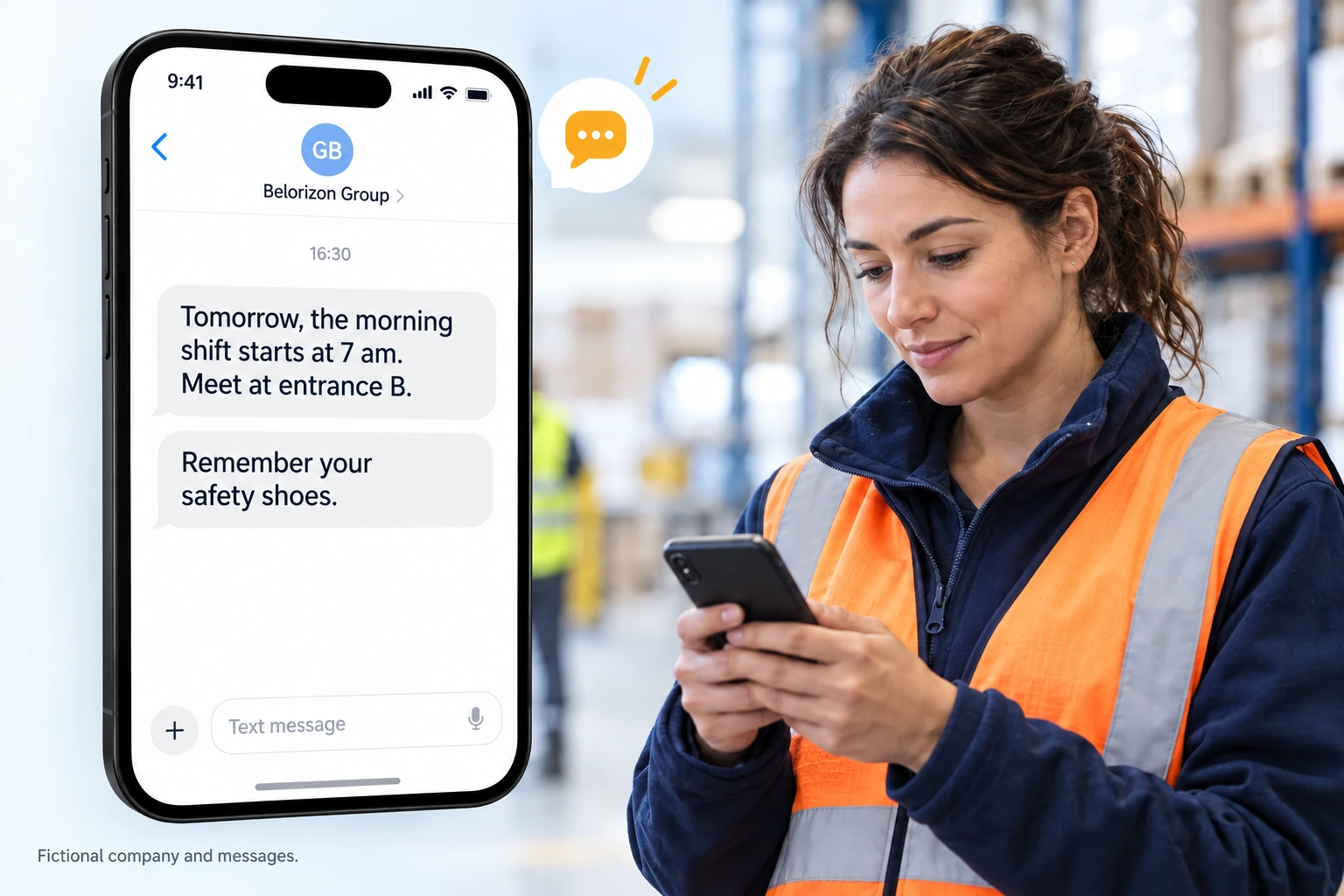
And those who have not installed the app?
SMS takes over. It is the channel people always read, even without a smartphone or data connection: ideal for messages that cannot wait.
Wherever your teams are not behind a screen.
Workshops, warehouses, shift teams
Safety instructions, schedule changes, site results: information that reaches every team, including night shifts.
Stores, restaurants, points of sale
Commercial operations, new products, network engagement: teams aligned with head office, store by store.
Mobile staff, technicians, agents
For those who spend their days at client sites: the company essentials, available between two appointments.
The questions we are asked before getting started.
Can employees use their personal phone?
Yes. The app works on iOS and Android, on a personal or work phone. It does not access any data on the phone: no contacts, no photos, no location.
What happens when an employee leaves the company?
Their access is removed automatically during synchronisation with your directory or HRIS. They no longer receive any communication, with no action on your part.
How are phone numbers protected?
They are only used to send the access code, and SMS messages if you choose to use that channel. They are hosted in Europe, never visible to other employees and never shared with third parties. Prefer to do without phone numbers altogether? Access to the app can also be by QR code: the employee scans it to sign in, and no number is collected.
Do we have to replace our current intranet?
No. The mobile app can relay your existing intranet's content to employees who do not have access to it. You can also choose to use our intranet later.
How long does it take to roll out the app?
Once your directory is connected, sending the SMS invitations takes a few minutes. Most of the time goes into preparing the launch with your frontline managers, so teams know why they are receiving this SMS.
How many of your employees actually receive your messages?
In 30 minutes, we look together at who your communications reach today, and how to reach the others.